
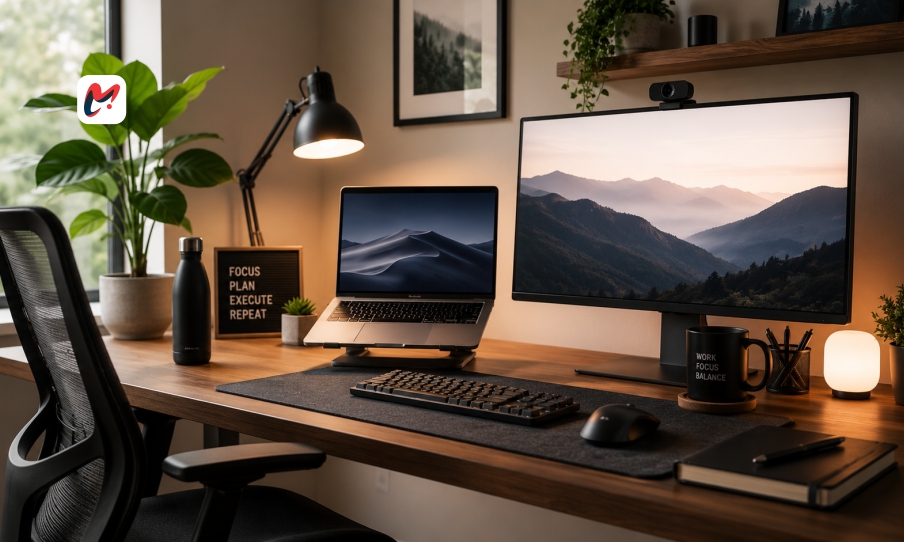
Workplaces have changed fast lately, so homes now double as offices. A trip down the hall takes the place of long commutes for countless workers worldwide. Though skipping traffic brings freedom and less tension, new hurdles pop up quietly. Staying sharp mentally and feeling good physically matters deeply – it keeps careers alive over time. Getting your space right means mixing comfort, tools that work well, then drawing clear lines on when to stop.
Designing for physical comfort and long term health
What makes a home workspace truly effective? It comes down to comfort during hours of focused effort. Some people started their remote journey using spots like kitchen counters, dinner tables, or lounging on sofas. These makeshift areas might hold up briefly – then problems begin: sore backs, stiff necks, hands that ache from awkward typing angles. A proper workstation begins with two essentials – a stable surface and seating you can fine-tune. That seat must cradle your lower spine properly so your feet stay grounded, legs bent just right – not too sharp, not too open. The moment matters less than consistency over time.
Just as important is where you place your main screen. Look at the upper part of your monitor without bending your neck down, since that strains your neck over time. When working on a laptop, try using a riser with separate keyboard and mouse to fix how things line up on your desk. Set up your workspace with body comfort in mind because it helps keep energy steady and thinking sharp later in the day.
Optimizing Technology and Connection for Seamless Workflows
A beautiful workspace is functionally useless if your digital infrastructure constantly drops or lags during crucial client presentations. To maintain a professional standard from home, your internet connection must be both fast and reliable. Whenever possible, bypass wireless connections entirely for your primary computer and run a physical Ethernet cable directly from your router. This simple hardware adjustment drastically reduces latency and prevents the sudden audio dropouts that plague video conferences. Additionally, mapping out your technological requirements ensures you do not end up tangled in a chaotic web of power strips and charging cords.
Beyond basic connectivity, a truly streamlined remote work setup incorporates hardware that minimizes daily friction. Consider investing in a high-quality external monitor to expand your screen real estate, making it significantly easier to multitask and analyze data spreadsheets side by side. High-definition webcams and noise-canceling external microphones are also essential investments if your role requires frequent collaboration. When your physical tech stack functions seamlessly, you eliminate the micro-frustrations of technical troubleshooting, allowing you to dedicate your full cognitive energy to the creative and analytical demands of your actual job.
Controlling the Environment to Maximize Cognitive Focus
Distractions are the ultimate enemy of the home-based professional. From barking dogs and neighborhood construction to the visual reminders of household chores waiting to be done, the domestic environment is packed with psychological triggers that pull you away from your objectives. Designing a successful remote work setup means curating the sensory elements of your space to signal to your brain that it is time to perform. If you are fortunate enough to have a spare room with a door, use it exclusively for professional tasks and close the door to establish a hard psychological boundary for both yourself and other residents.
For those working within smaller or shared living spaces, environmental control requires a bit more creativity. Noise-canceling headphones can instantly carve out an auditory sanctuary, especially when paired with ambient soundscapes or instrumental music designed to enhance concentration. Lighting also plays a massive, often underestimated role in cognitive performance. Position your desk near a window to capitalize on natural sunlight, which regulates your circadian rhythm and boosts your mood. Supplement this with high-quality task lighting to reduce eye strain during overcast days or late-evening projects, ensuring your eyes remain comfortable.
Establishing Psychological Boundaries Between Career and Comfort
Perhaps the most difficult aspect of abandoning the traditional corporate building is the total blurring of lines between your professional duties and your personal life. When your living room is also your office, it becomes incredibly easy to answer emails at midnight or let project stress bleed into your evening family time. An optimized remote work setup must include a strategy for logging off completely at the end of the day. If your desk sits in the corner of your bedroom, try using a decorative room divider or a simple cloth cover to visually hide your computer when your shift ends.
Ultimately, the physical elements of your workstation are only as effective as the behavioral habits you build around them. Establish a definitive morning routine that mimics a commute, such as a quick walk around the block or a quiet cup of coffee away from your screen, to mentally prepare for the day ahead. Pack up your components or close your laptop lid entirely when your hours are complete. By treating your workspace with intentionality, you protect the sanctity of your home as a place of rest, ensuring that remote employment remains a liberating lifestyle choice rather than an exhausting, around-the-clock obligation.