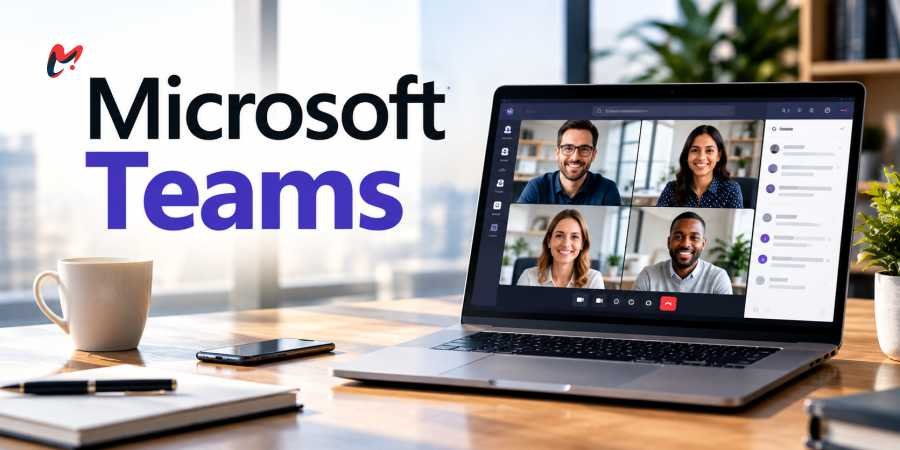
Workplace collaboration is moving beyond the familiar rhythm of meetings, chats, emails and shared documents. Microsoft Teams has become one of the central places where those activities come together, and the integration of Copilot is changing what employees can expect from the platform. Instead of simply providing a digital room for people to communicate, Teams is increasingly becoming a workspace where AI can summarize conversations, surface information, track decisions and help move tasks forward.
That shift matters because the modern workday is already heavily dominated by communication. Microsoft’s Work Trend Index has found that employees spend a substantial share of their time in meetings, chats and email, while many workers report difficulty finding uninterrupted time for focused work. In one Microsoft analysis, 68% of respondents said they did not have enough uninterrupted focus time. The promise behind Microsoft Teams and Copilot is therefore not simply to add another AI feature. It is to reduce some of the friction created by the volume of collaboration itself.
Microsoft Teams Is Becoming More Than a Meeting Platform
The evolution of Microsoft Teams can be seen in the way Microsoft is integrating AI into everyday collaboration. Copilot can work with meeting conversations, chats and organizational information, giving employees a way to retrieve context without manually searching through every message or replaying an entire meeting.
This becomes particularly useful when someone misses a meeting. Instead of depending on a colleague’s memory or asking for a lengthy explanation, an employee can use AI-generated meeting recaps and related information to understand what was discussed and identify relevant actions. Microsoft has reported that its heaviest Teams users summarized around eight hours of meetings using Copilot in one month, illustrating how AI can change the value of meetings after they have ended.
The broader idea is that a meeting no longer has to exist only in the hour when people are sitting together. Its transcript, decisions, questions and follow-up actions can become information that employees interact with later.
Copilot Changes the Role of the Employee
The most important question surrounding Microsoft Teams is not whether AI can write a meeting summary. It is what happens when employees begin relying on AI to handle more of the routine work surrounding collaboration.
Microsoft’s 2026 Work Trend Index, based on analysis of anonymized Microsoft 365 productivity signals and a survey of 20,000 AI-using workers across 10 countries, found that AI is increasingly being used for cognitive work such as analysis, problem-solving and evaluation. Microsoft reported that 49% of the conversations examined in a privacy-preserving analysis of more than 100,000 Copilot chats supported cognitive work.
That points toward a workplace where employees may spend less time collecting information and more time deciding what to do with it. A manager, for example, could ask Copilot to identify unresolved decisions across several conversations before a planning meeting. A project team could use AI to organize discussion points and then concentrate its human attention on trade-offs and priorities.
The employee’s role does not disappear in that model. It changes. Judgment becomes more important when AI is doing more of the initial organizing and drafting.
Microsoft Teams and the Rise of AI-Assisted Meetings
Meetings are one of the clearest areas where Microsoft Teams can demonstrate the practical value of AI. Traditional meeting problems are familiar: people arrive without enough context, discussions wander, important decisions are buried in conversation, and attendees leave with different interpretations of what happens next.
Copilot and related Teams capabilities are designed to address parts of that problem. Microsoft has introduced collaborative agents such as Facilitator that can help prepare agendas, take notes and capture decisions. The company has also described Teams Mode, which allows colleagues to participate together in Copilot conversations rather than treating AI as a purely individual assistant.
The Bigger Benefit May Be Information Retrieval
Another major challenge that Microsoft Teams is trying to address is information overload. Employees often know that an answer exists somewhere inside an organization but do not know where to find it. It might be buried in a Teams conversation, an email thread, a presentation or a shared document.
Microsoft’s research has found that employees spend considerable time searching for information. Its earlier Work Trend Index research found that 62% of respondents struggled with too much time spent searching for information during the workday.
AI can potentially reduce that friction by allowing employees to ask questions in natural language rather than remembering exactly which file, conversation or meeting contained the information. Microsoft has also reported that Copilot users retrieved information across files, emails and calendars six minutes faster on average than users without Copilot in its research.
AI Does Not Automatically Mean a Better Workday
The transformation around Microsoft Teams also has a less comfortable side. AI can make communication easier, but easier communication can sometimes produce more communication.
Microsoft’s 2025 research described an “infinite workday” in which employees receive large volumes of digital messages outside conventional working hours. Its analysis found that the average employee receives more than 100 emails and 150 Teams messages each day, while many employees also send or receive Teams messages outside core working hours.
That creates an important distinction between productivity and activity. If AI makes it easier to generate messages, summaries and meetings, employees could theoretically end up processing even more information rather than less.
The value of Microsoft Teams therefore depends partly on how organizations use it. AI should ideally remove unnecessary work rather than simply accelerate the production of additional work. Companies that introduce Copilot without reconsidering meeting habits, communication expectations and notification culture may find themselves with a faster version of the same problem.
The Collaboration Platform Is Becoming an AI Workspace
The future of Microsoft Teams is increasingly tied to a broader Microsoft strategy in which AI is woven across work rather than isolated in a single chatbot. In 2026, Microsoft reported that average weekly engagement with Copilot had reached levels comparable with Outlook and Teams, while the number of Copilot conversations per user had nearly doubled over the previous year.
For employees, the most meaningful change may ultimately be simple: less time spent reconstructing what happened and more time spent deciding what should happen next. Microsoft Teams is moving in that direction by combining communication with AI-assisted understanding and execution. The technology will not eliminate the need for people to collaborate, but it may change what people bring to collaboration. As routine coordination becomes increasingly automated, human judgment, context, creativity and accountability become more valuable parts of the workday